Payload Events
A Payload event sends an object with the event. The object can hold any variables you want, which makes it the most flexible event type.
Creating the payload object
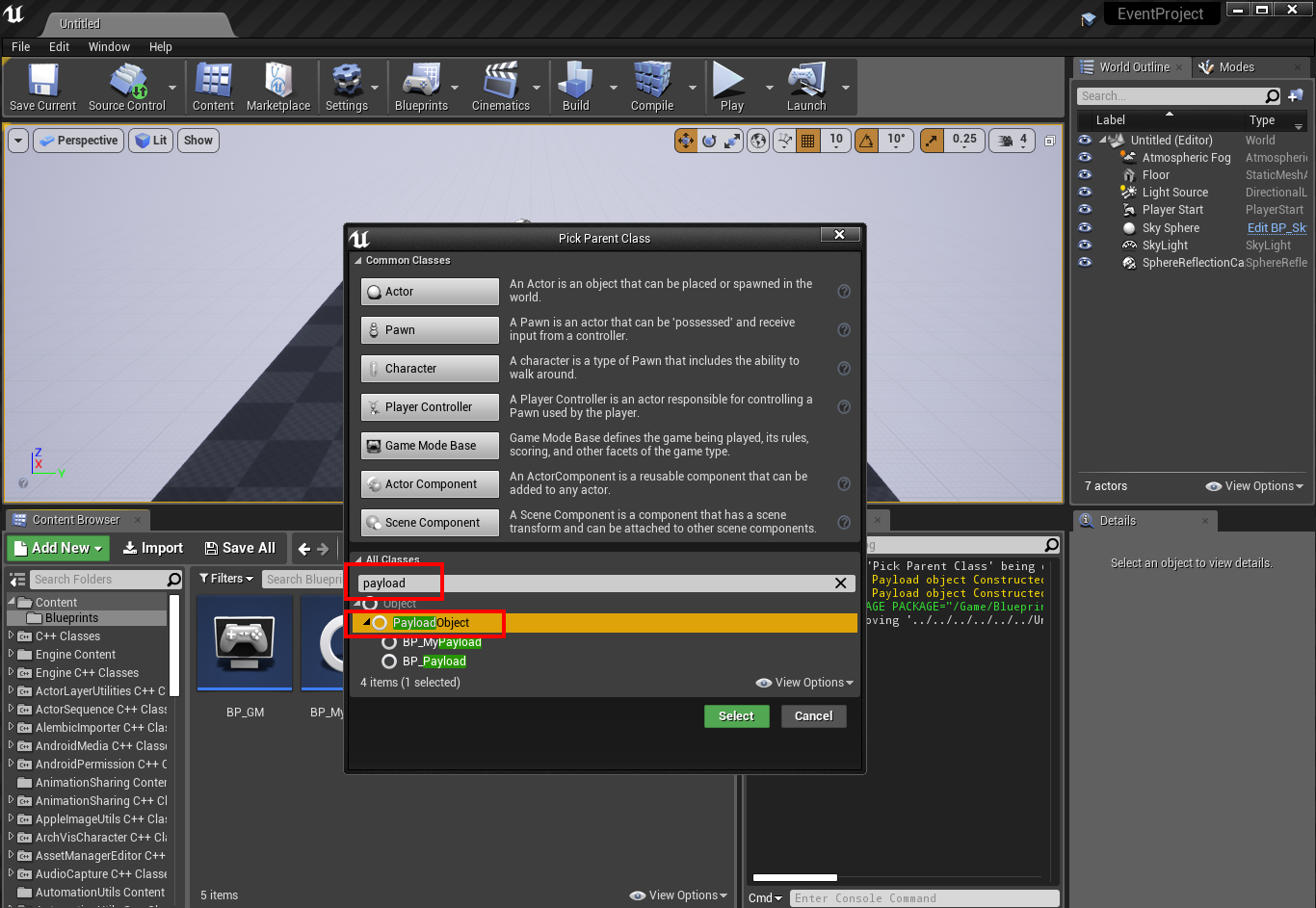
- Create a new Blueprint Class. Under All Classes, search for and select PayloadObject.
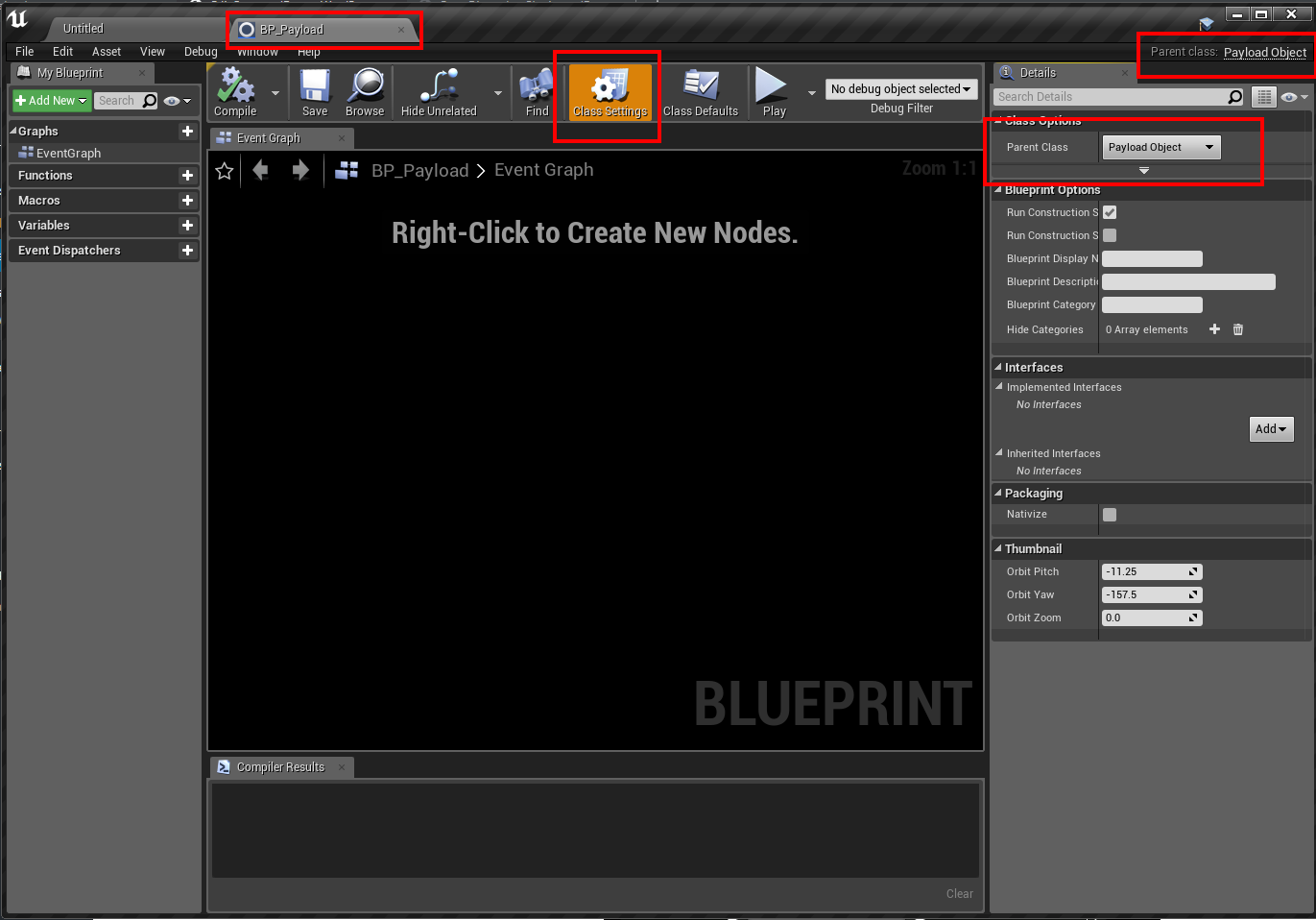
- Open the Blueprint and check that the parent class is Payload Object.
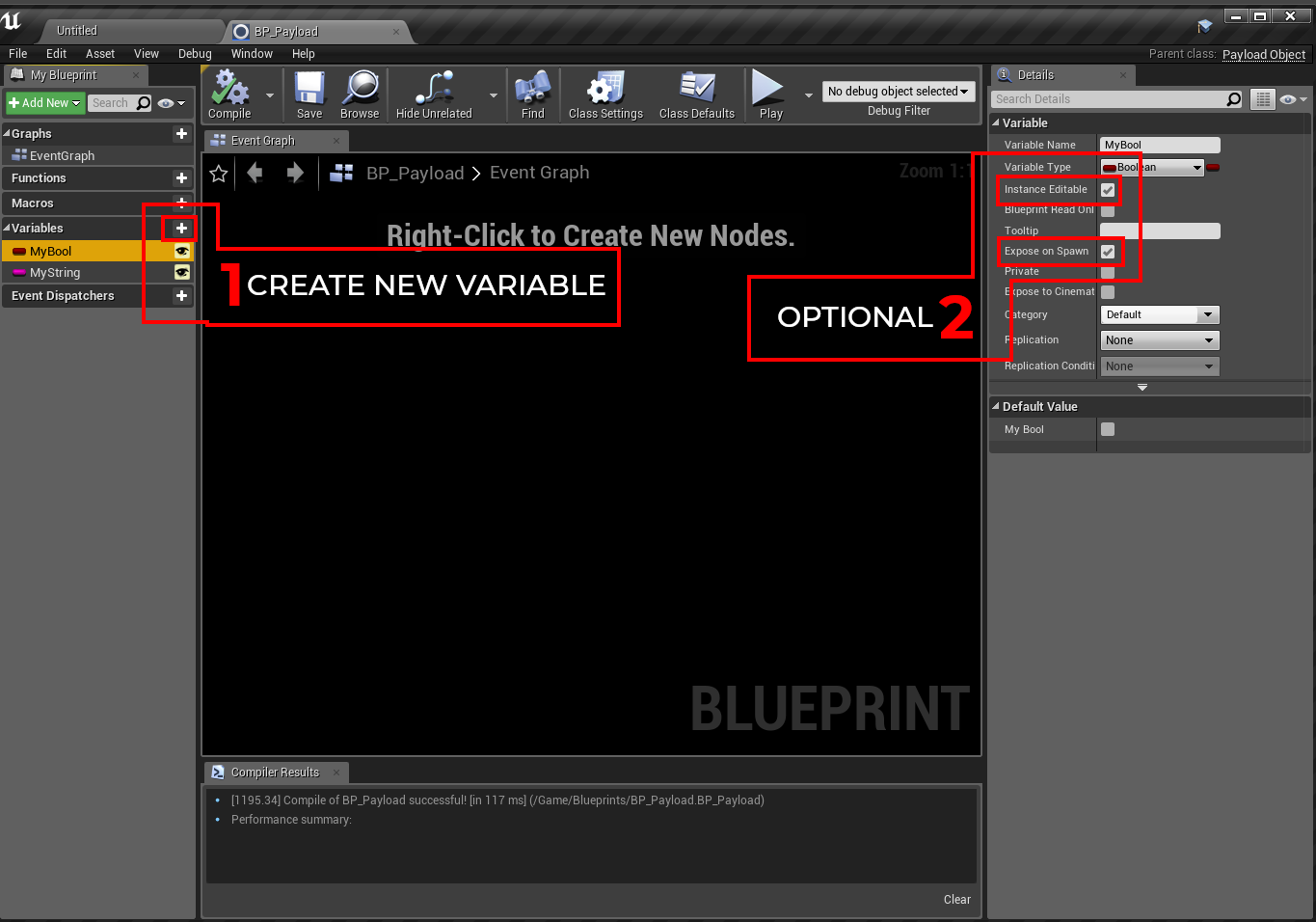
- Add the variables you want to send. Enable Instance Editable and Expose on Spawn so you can set them directly when the object is created.
PayloadObject is a convenient base class, but any object can be sent as a payload. You can also pass an existing Actor, Widget or Data Asset.
Registering a Payload event
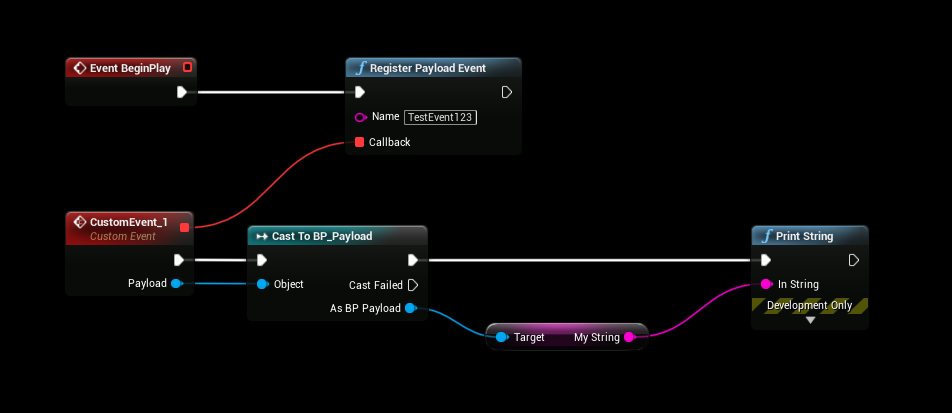
Call Register Payload Event (or Register Payload Event Name). The callback receives the object as Payload. Cast it to your payload class to read the variables.
Invoking a Payload event
Create the payload with Construct Object from Class, fill in the variables, and pass it to Invoke Payload Event.
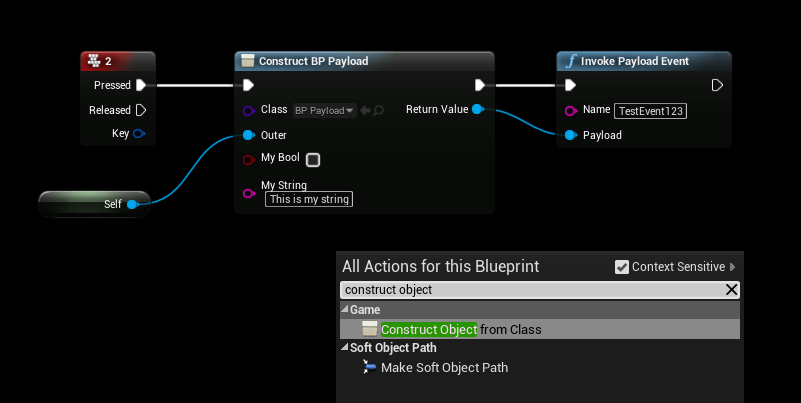
These two screenshots show an older version of the name-based nodes. Today they are called Register Payload Event Name / Invoke Payload Event Name, the name pin is called Event Identifier, and the invoke node also has an Optional Target pin.
Payload lifetime
The plugin keeps the payload object alive until every listener has received it. You don't need to store a reference to it just to make sure it arrives. After delivery the normal garbage collection rules apply: if a listener needs to keep the object, it should store it in a variable.